
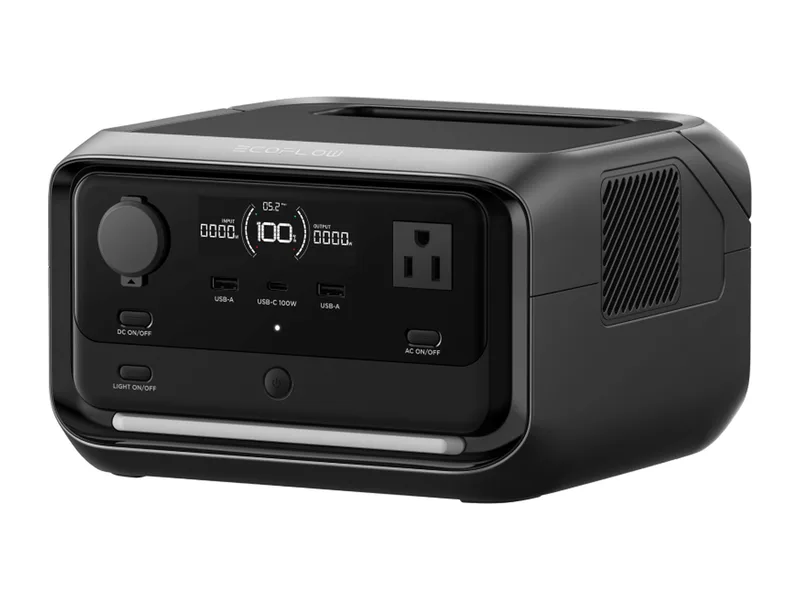
EcoFlow RIVER 3 Plus
Keeps the router, phone and laptop running. Doubles as a UPS.
Before choosing a power station, write down what must run, what you can leave unplugged and where the next recharge will come from. A battery that fits those three decisions is more useful than a larger one with no workable plan.
We may earn a commission when you buy through our links. As an Amazon Associate I earn from qualifying purchases. Affiliate disclosure
| Before buying | Write down |
|---|---|
| Essential devices | Exact appliance models and the jobs you need to preserve. |
| Electrical fit | Voltage, ordinary running load and any startup requirements. |
| Energy need | A realistic use period and an estimate of energy delivered to those loads. |
| Replenishment | A wall outlet, compatible panel or another verified charging source. |
| Operating location | Moisture, ventilation, temperature and handling constraints. |
| Exact purchase | Battery model, included cables, panel, seller and warranty terms. |
Keep the list short enough that you can decide what to disconnect. Powering everything you normally use is a different task from maintaining a phone, light and refrigerator during an outage.
Watts describe an output or input rate; watt-hours describe an amount of energy. A large capacity does not guarantee enough startup output, and a high output rating does not promise a long runtime. For refrigerator backup, start with the appliance’s requirements.
Check input limits separately. A panel’s connector, voltage, current and cable arrangement must fit the station. Read the solar compatibility guide before ordering a discounted bundle. Compare bundled accessories against what you already own; do not buy another panel solely because it appears in the promotion image.
Charging and discharging can have different temperature limits. Jackery’s Explorer 1000 v2 support page lists them separately and explains that its backup switchover is not an interruption-free UPS. Those are model-specific instructions, not specifications to transfer to other batteries.
Check whether your application permits an interruption, whether the unit can be carried and placed by the person who will use it, and whether controls need an app or connection for a setting you require. For medically important equipment, obtain a device-specific backup plan from its provider rather than relying on a general shopping guide.
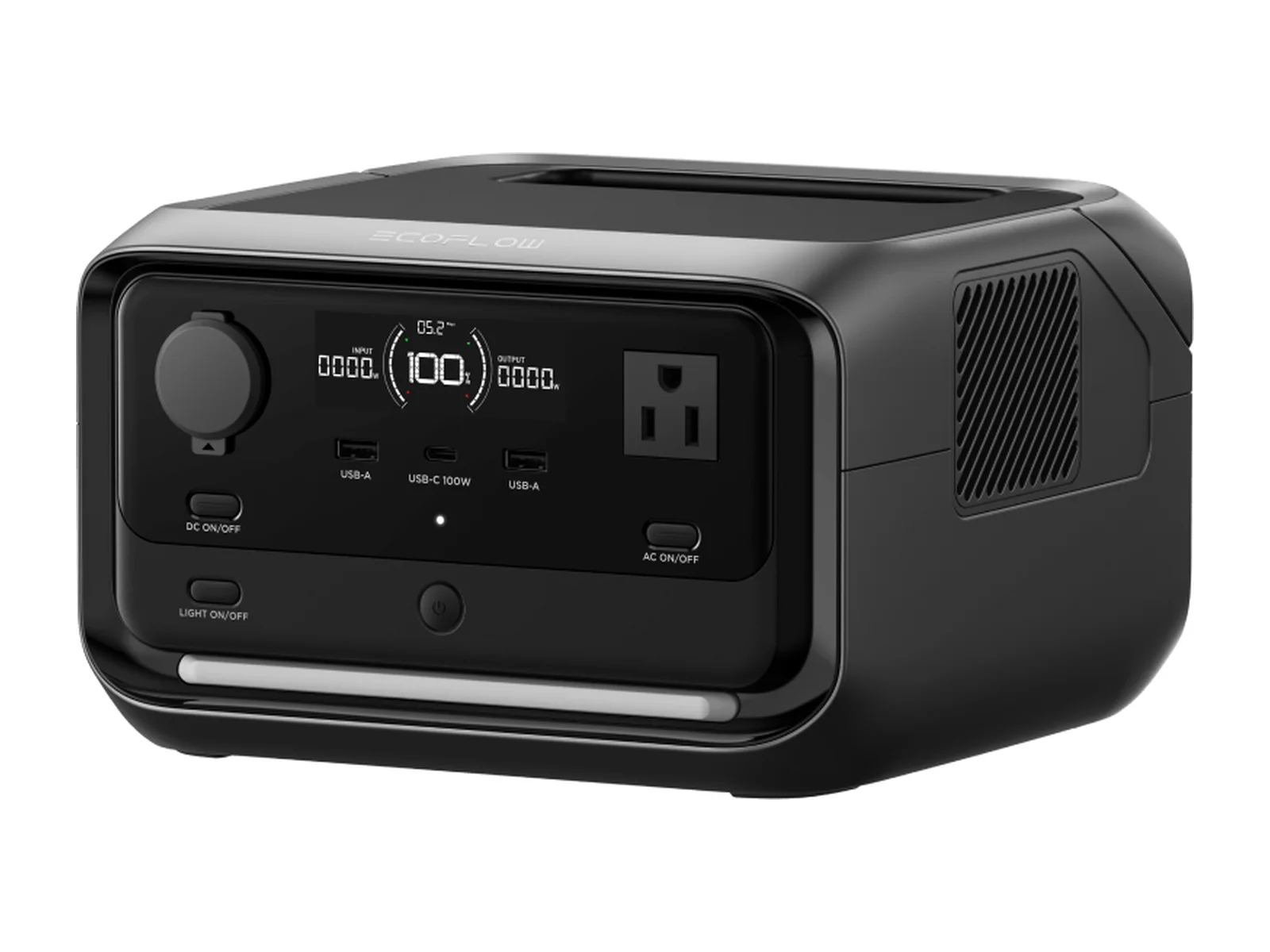
Start with our existing power-station candidates. The RIVER 3 Plus is a small-device candidate; the Explorer 1000 v2 is a different option for a verified load. Neither replaces the checklist.
Buy when the exact model fits your load, replenishment and handling plan. Wait when an important requirement or bundle detail is missing. Skip when your existing equipment already covers the job, or when you are buying more capacity without a way to recharge it.
Use the Black Friday watchlist to review candidates, not as evidence of a current discount. Confirm the seller and current terms at the destination. We do not display a fixed Amazon price here.
Only if compatible solar charging solves a job in your plan. A station and a panel are separate equipment decisions; the purchase can start with a verified wall-charging plan.
No. Weight, placement, startup capability and replenishment can make a smaller, usable setup the better fit. Capacity you cannot safely move or recharge is not an automatic upgrade.
Keeps the router, phone and laptop running. Doubles as a UPS.
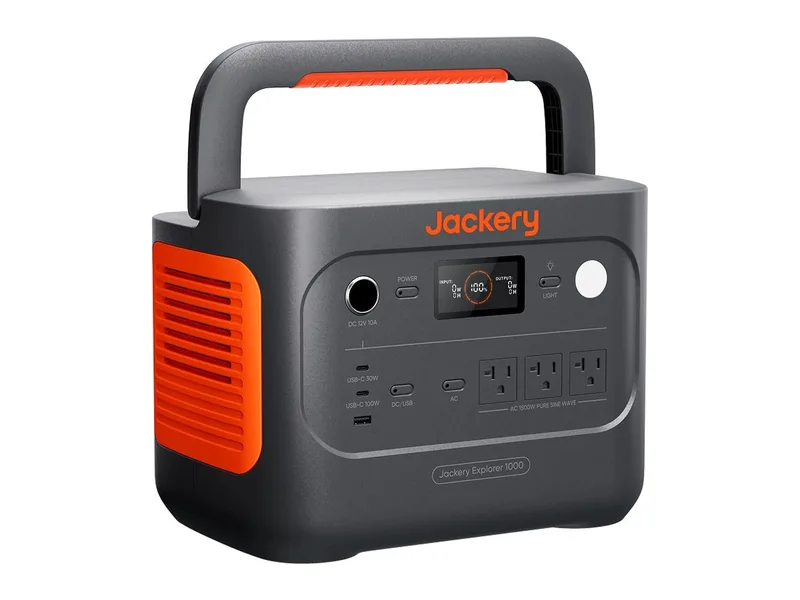
The fridge-and-phones station. Small enough to live in a closet.
Image credits: EcoFlow RIVER 3 Plus — EcoFlow · Jackery Explorer 1000 v2 — Jackery.